

Weather Widget
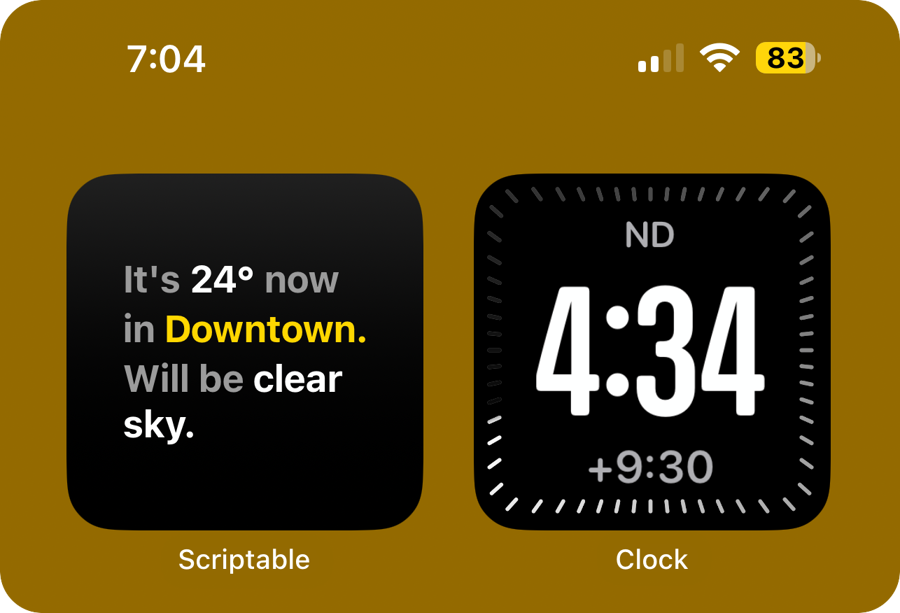
A clean and elegant iOS weather widget built with Scriptable, fetching real-time data from the OpenWeather API. The widget adapts layout and font size based on weather conditions and city names for improved readability.
✨ Features
📍 Auto Location Detection: Fetches your current coordinates using iOS GPS.
🌤️ Real-Time Forecast: Displays current temperature and condition.
🏙️ City Recognition: Dynamically detects and displays the city name.
📐 Responsive Typography: Adjusts font size based on widget size, text length, and content.
🎨 Gradient Backgrounds: Custom gradients for stylish appearance.
🔁 Auto Refresh: Refreshes every 30 minutes to stay updated.
⚙️ Setup Instructions
Step 1: Get Your Free OpenWeather API Key
Create a free account or log in.
Visit the API Keys page.
Click Generate to create a new key.
Copy the generated key.
Step 2: Add Your API Key
In the script file, replace this line:
With:
Step 3: Add the Script to Scriptable
Open the Scriptable app on your iPhone or iPad.
Tap the + button to create a new script.
Paste the entire code into the editor.
Save the file with a name like
Weather Widget.
Step 4: Add the Widget to Home Screen
Long-press the Home Screen to enter edit mode.
Tap the + button at the top.
Search for and select Scriptable.
Choose a widget size (Small, Medium, or Large).
Tap Add Widget.
Long-press the widget and tap Edit Widget.
Set the Script to your saved weather widget script.
Leave parameters blank (it auto-detects location).
🌈 Customization Options
You can tweak the following parts of the script to personalize the widget:
Background Themes
Update this line to switch between preset themes:
Other options include:
blackBlueGradientClrlightDarkBlueGradientClr
Units
Choose between Celsius and Fahrenheit:
🧠 How It Works
Location is retrieved using
Location.current().The weather API uses your coordinates to return:
feels_liketemperatureweather
descriptioncityname
The widget parses this and smartly adjusts the text layout.
E.g., long descriptions like "scattered intensity rain" will wrap.
City names like "New York" will only display "New" to keep layout clean.
🔄 Refresh Logic
The widget is set to automatically refresh every 30 minutes:
📸 Screenshots

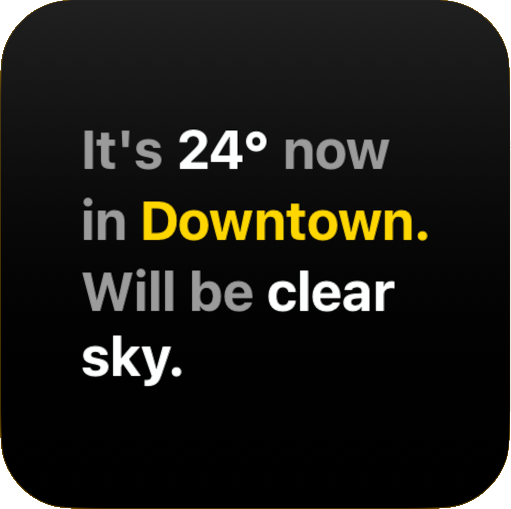
NOTE: The the values may differ bassed on your current location, the above are just some examples
🙌 Feedback & Credits
Have questions or want to request a feature? DM me on Instagram or email: rushiofficial1205@gmail.com
This widget is a reflection of clean UI and practical design. If you'd like to expand it (e.g., 3-day forecasts, icon-based UI), feel free to fork it.
📜 License
This project is licensed under the MIT License. Feel free to remix, reuse, and modify with attribution.
Stay informed, stay stylish – RP
Last updated