

Toyota Widget
Connect with your Toyota vehicle and display important information like fuel level, maintenance reminders, and vehicle status right on your iOS home screen.
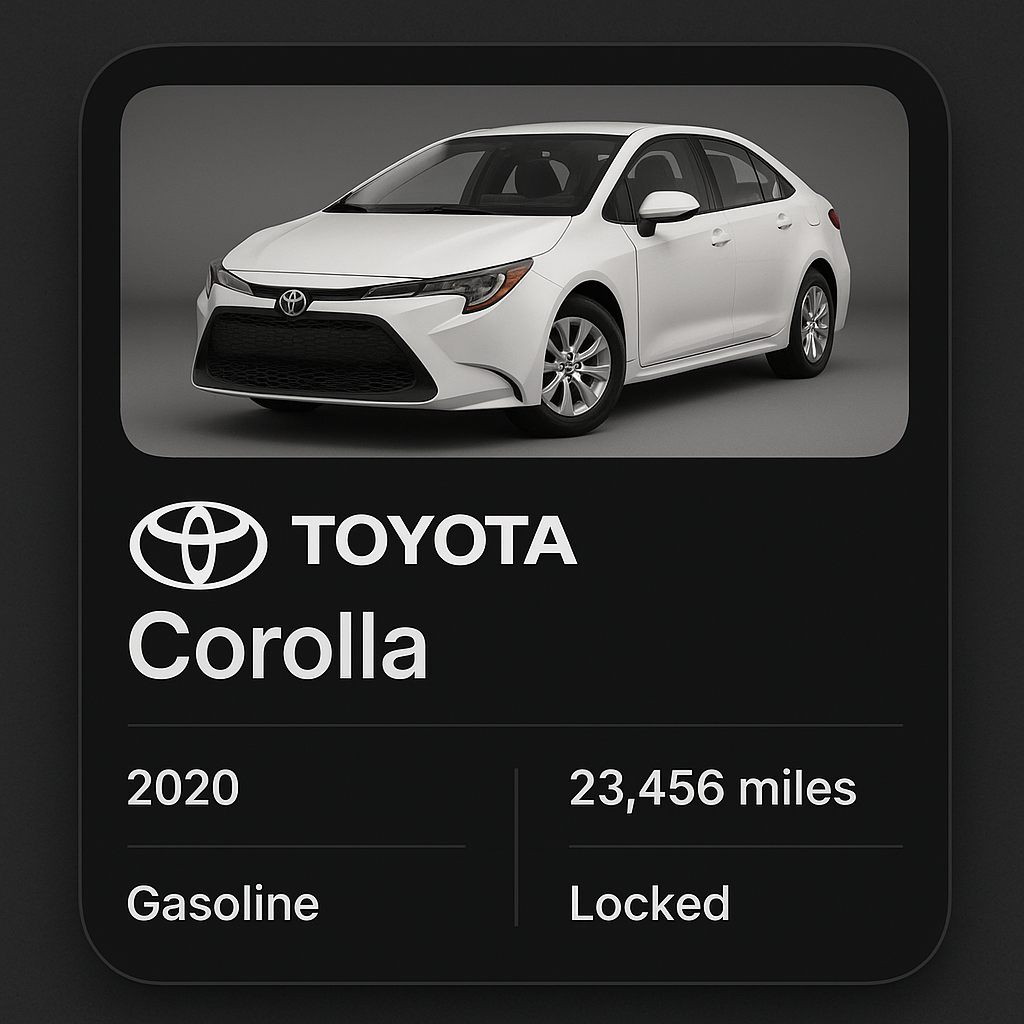
✨ Features
⛽ Fuel Level Monitoring: Real-time fuel gauge display
🔧 Maintenance Alerts: Service reminders and maintenance notifications
📍 Vehicle Location: Last known parking location
🚗 Vehicle Status: Engine status, doors, and security information
📊 Trip Statistics: Recent driving data and fuel efficiency
🔐 Remote Functions: Lock/unlock and remote start capabilities*
📱 Beautiful Interface: Toyota-branded design with official styling
Note: Remote functions depend on your vehicle's connected services plan
🚀 Quick Setup
1. Prerequisites
Before setting up the widget, ensure you have:
Toyota Connected Services account
Compatible Toyota vehicle (2018+ models typically supported)
Active subscription to Toyota's connected services
MyToyota app installed and working on your phone
2. Get Your Credentials
Open MyToyota app and ensure it's working correctly
Note your login credentials (you'll need them for the widget)
Verify vehicle connection in the app
Check service status to ensure connectivity
3. Configure the Widget
4. Install and Setup
Download
MyToyota.jsCreate new script in Scriptable
Configure your Toyota credentials
Add widget to home screen
Test connectivity and data display
📸 Screenshots
Large Widget
Comprehensive vehicle dashboard with all information.
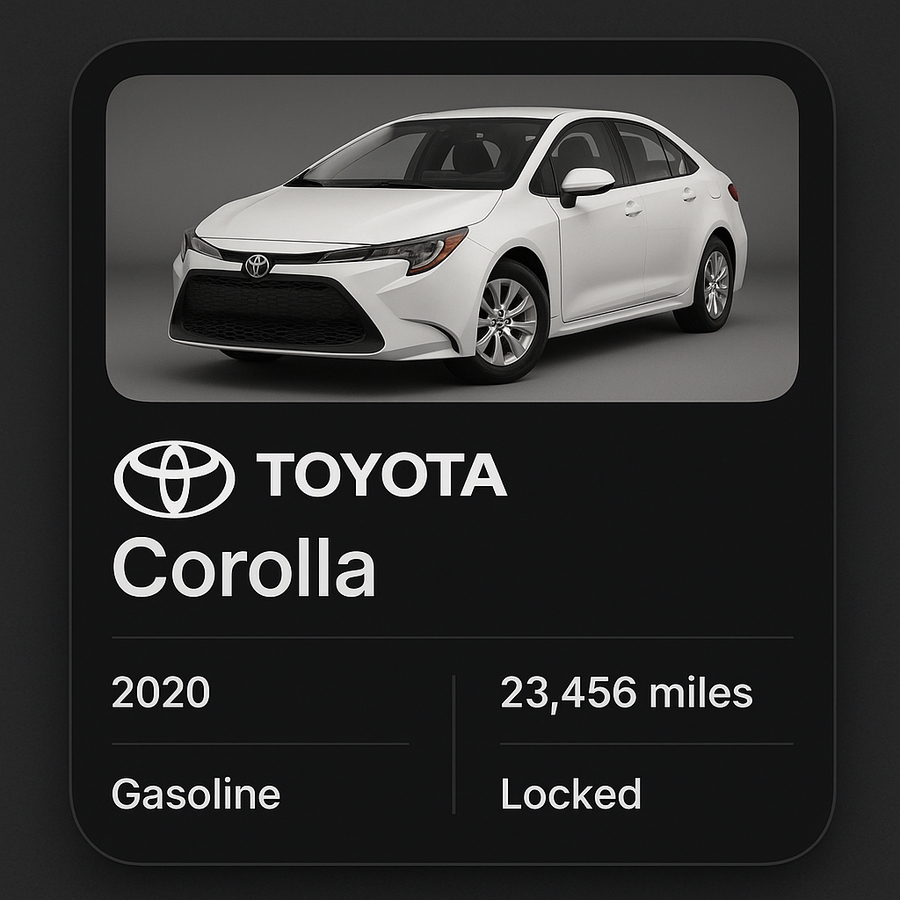
Medium Widget
Essential vehicle information in compact format.

📊 Information Displayed
Fuel & Range
Current Fuel Level: Percentage and visual gauge
Estimated Range: Miles/kilometers remaining
Fuel Efficiency: Recent MPG/L per 100km data
Low Fuel Alerts: Warning when fuel is low
Vehicle Status
Engine Status: Running, off, remote start active
Door Status: All doors, trunk, hood status
Lock Status: Vehicle security status
Window Status: Open/closed window indicators
Maintenance Information
Next Service Due: Mileage or time until next service
Oil Life: Remaining oil life percentage
Tire Pressure: Individual tire pressure readings*
Maintenance Alerts: Upcoming or overdue services
Location & Security
Last Known Location: Where your vehicle is parked
Security Status: Alarm status and door locks
Remote Functions: Available remote commands
Trip Summary: Recent trip information
Features vary by vehicle model and year
⚙️ Widget Configuration
Display Options
The widget can be customized to show different information:
Update Frequency
Privacy Settings
🔧 Advanced Features
Remote Vehicle Control
Available Commands (varies by vehicle):
Lock/unlock doors
Remote engine start
Climate control activation
Horn and lights
Vehicle finder
Smart Notifications
The widget can provide intelligent alerts:
Low fuel warnings
Maintenance reminders
Unusual vehicle activity
Service appointment reminders
Multi-Vehicle Support
For users with multiple Toyota vehicles:
🔐 Security & Privacy
Data Protection
Encrypted Storage: Credentials stored securely
Local Processing: Data processed on device when possible
Privacy Mode: Option to hide sensitive information
Secure Communication: Uses Toyota's official APIs
Account Security
Strong Passwords: Use secure Toyota account passwords
Two-Factor Authentication: Enable 2FA on Toyota account
Regular Updates: Keep credentials current
Access Monitoring: Monitor account access regularly
📱 Supported Toyota Models
Recent Models (2018+)
Most Toyota vehicles from 2018 onwards support connected services:
Camry (2018+)
Corolla (2020+)
RAV4 (2018+)
Highlander (2020+)
Prius (2017+)
Tacoma (2018+)
Tundra (2022+)
4Runner (2020+)
Sienna (2021+)
Venza (2021+)
Service Plans
Different features available based on your service plan:
Safety Connect: Emergency assistance
Service Connect: Maintenance alerts
Remote Connect: Remote vehicle control
Destination Assist: Navigation support
🚨 Troubleshooting
Common Issues
Widget shows "No Data":
Verify Toyota account credentials
Check vehicle's connected services status
Ensure vehicle has cellular connectivity
Confirm active service subscription
Authentication errors:
Update Toyota account password
Check for account lockouts
Verify two-factor authentication settings
Test MyToyota app connectivity
Outdated information:
Check vehicle's cellular signal
Verify last vehicle communication time
Restart vehicle's infotainment system
Check for app updates
Service Connectivity
Vehicle Connection Issues:
Ensure vehicle is in area with cellular coverage
Check that connected services subscription is active
Verify vehicle's TCU (Telematics Control Unit) is functioning
Contact Toyota customer service if persistent issues
💡 Usage Tips
Best Practices
Regular Updates: Check widget daily for maintenance alerts
Fuel Planning: Use fuel level for trip planning
Security Monitoring: Monitor vehicle status when parked
Maintenance Tracking: Stay ahead of service needs
Widget Placement Ideas
Home Screen: Quick vehicle status check
Today View: Swipe down for instant information
Car Play: Display on vehicle dashboard
Lock Screen: Essential info at a glance
Integration Ideas
Calendar Events: Link with service appointments
Location Reminders: Set parking location reminders
Fuel Tracking: Monitor fuel efficiency trends
Maintenance Logs: Track service history
🔄 Future Features
Potential Enhancements
Fuel Station Finder: Locate nearby gas stations
Service Scheduler: Book appointments through widget
Trip Planner: Route planning with fuel stops
Eco Driving: Tips for better fuel efficiency
Maintenance History: Complete service records
Integration Possibilities
Smart Home: Garage door automation
Calendar Apps: Service reminders
Weather Apps: Climate control suggestions
Maps Apps: Navigation to vehicle location
📝 License
This project is licensed under the MIT License - see the LICENSE file for details.
🤝 Contributing
Help improve the Toyota Widget:
Contribute support for other Toyota models
⚠️ Disclaimer
This widget is an unofficial third-party application. It is not affiliated with, endorsed by, or sponsored by Toyota Motor Corporation. Toyota, the Toyota logo, and related marks are trademarks of Toyota Motor Corporation.
Use this widget in accordance with Toyota's terms of service for connected vehicle services. The developer is not responsible for any issues related to your Toyota account or vehicle.
Made with ❤️ by rushhiii | Drive connected, stay informed 🚗
Last updated